How to make a handwriting workbook for Amazon KDP
A tracing book (a letter tracing or handwriting workbook) is two PDFs: the interior (the pages) and the cover (back, spine and front on one sheet). This is what to decide for each, in the order KDP asks for them, with the printing cost and royalty worked out for a 26-page A–Z book: one page per letter, capital and lowercase.
1. Choose the trim size (the workbook's size)
The trim is the size of the finished page. It's the first choice on KDP's paperback content page, and everything else depends on it: the page margins, the cover size, and the printing cost.
KDP prices a paperback by trim class. A trim more than 6.12" wide or more than 9" tall is large. For black ink on Amazon.com, a book of 24 to 110 pages costs one flat price to print, whatever its page count within that band:
| Trim | Class | Printing, 26 pages, black ink |
|---|---|---|
| 8.5" × 11", 8" × 10", 7" × 10" | Large | $2.84 |
| 6" × 9", 5.5" × 8.5", 5" × 8" | Regular | $2.30 |
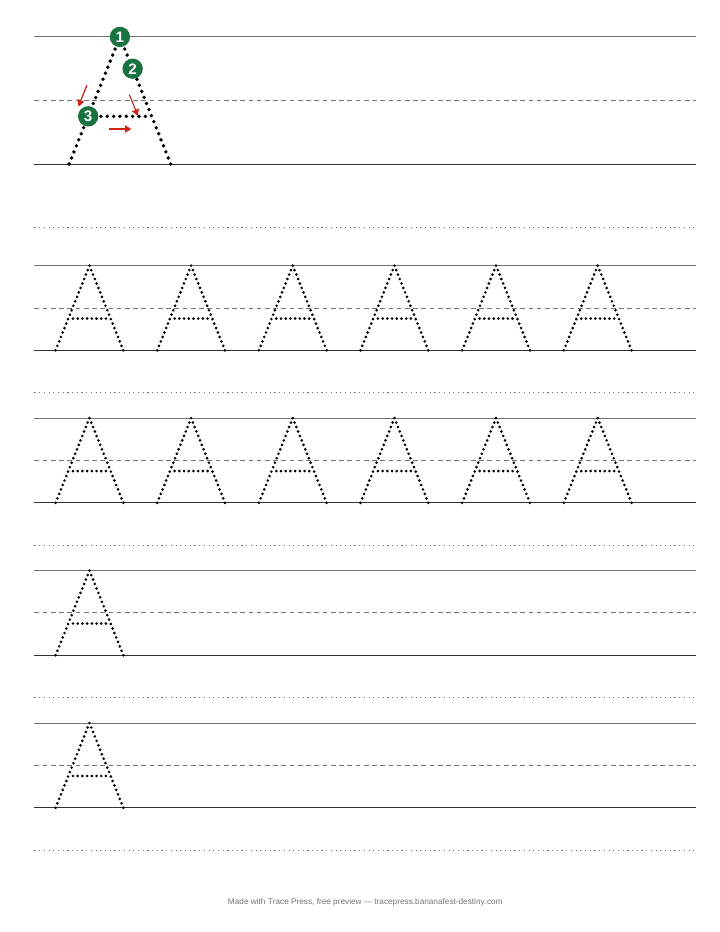
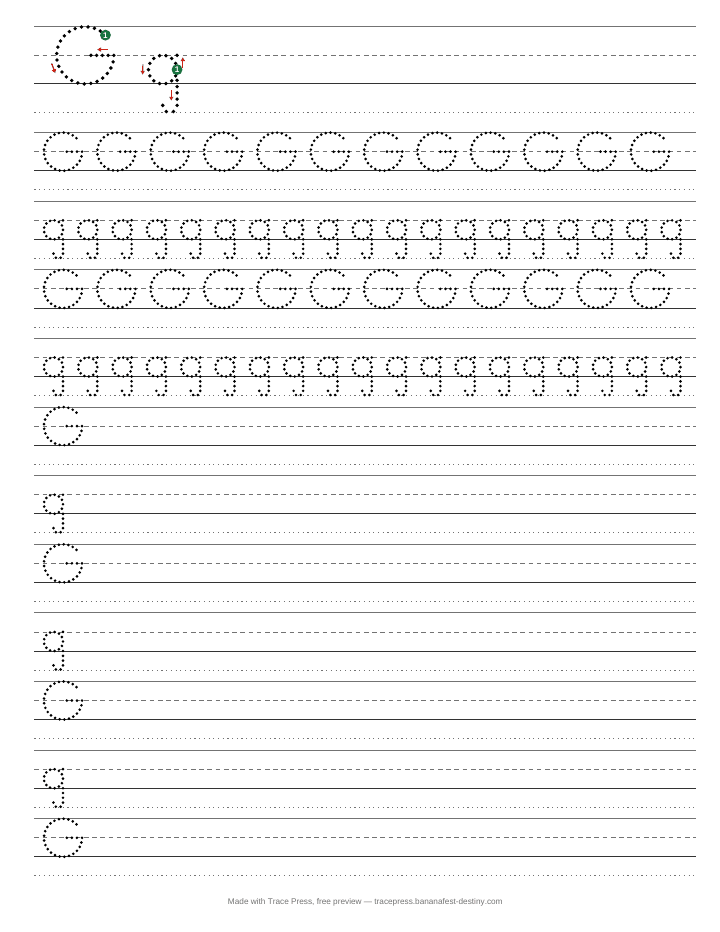
So a large trim costs $0.54 more to print per copy. What you get for it is room. With 1" guide lines (ages 4–5), a Trace Press letter page holds 5 rows at 8.5" × 11" and 4 at 6" × 9". With 0.45" lines it's 12 against 9. Try both in the Trace Press preview and look at the page before you pay the difference.
Figures from KDP's Paperback Printing Cost help page for the Amazon.com marketplace. Other Amazon marketplaces print at different prices.
2. Choose the line size
Handwriting lines are four lines: a solid top line, a dashed midline, a solid baseline and a dotted descender line. The line size is the height from the top line to the baseline. These are the sizes Trace Press offers. The age labels are our own guide, not a standard:
| Trace Press setting | Top line to baseline |
|---|---|
| Ages 4–5 | 1" |
| Ages 5–7 | 0.75" |
| Ages 7–9 | 0.6" |
| Older | 0.45" |
Whatever the size, KDP's paperback submission guidelines set a minimum line weight of 0.75 pt. Trace Press draws every guide line and every dot at or above it.
3. Bleed or no bleed
Bleed is for ink that runs off the edge of the page. A tracing workbook doesn't need it: every line and letter sits inside the margins. Choose No bleed on KDP, and leave bleed off in Trace Press. If you do turn bleed on in one, turn it on in the other too. The PDF's page size has to match what you told KDP, or the upload is rejected.
4. Upload the interior
KDP's previewer checks the interior PDF against the trim and bleed you chose. Three of its checks apply directly to a tracing book:
- Ink in the margin. The inside margin (the gutter) depends on the page count: 0.375" up to 150 pages, more above that. It's on the left of odd pages and the right of even ones. Trace Press lays every page out to these margins.
- Fonts not embedded. The numbers on the start dots are text, and KDP needs the font inside the PDF. Trace Press embeds it.
- Too few pages. KDP's paperback minimum is 24 pages. An A–Z book with one page per letter is 26.
KDP also limits how fast new books go in. Since September 21, 2026 an account can create up to 2 new titles per format per week, and since October 5 it can submit up to 2 new titles per format per week for publication. Paperback, hardcover and Kindle each count separately, updates to a title you already submitted don’t count, and the week resets on Sunday at 12:00 AM UTC (KDP’s announcement). An uppercase, a lowercase and a cursive workbook are three paperbacks, so they take two weeks to submit.
KDP also asks whether the book contains AI-generated content, and its rule counts pictures as well as words: “AI-generated images include cover and interior images and artwork.” It defines AI-generated content as “text, images, or translations created by an AI-based tool” (KDP’s content guidelines).
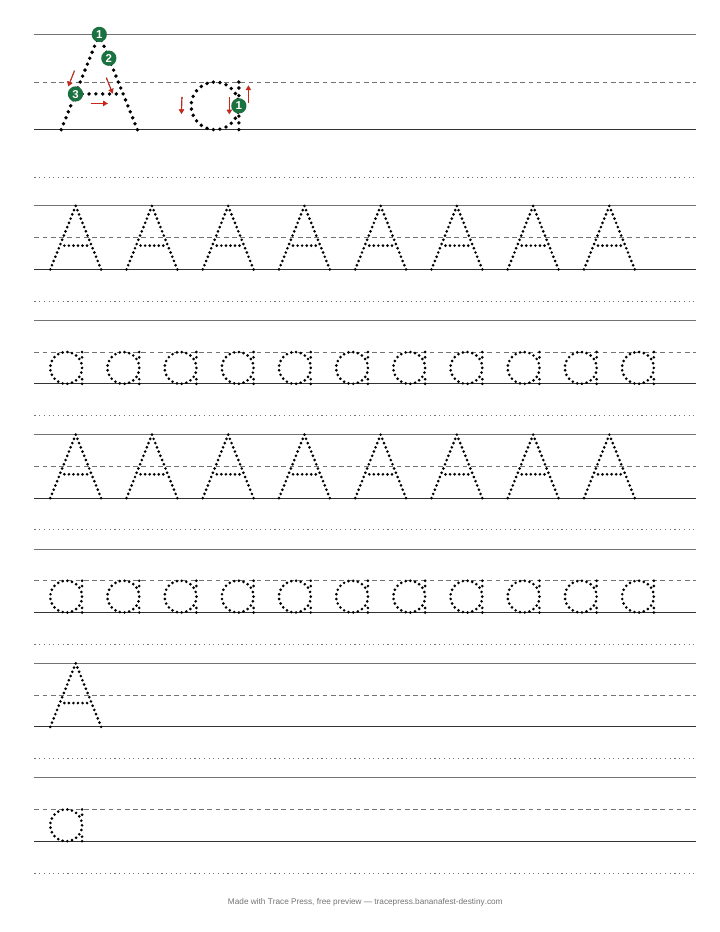
Here is where a Trace Press page comes from. The print letters and numbers, with their stroke order, start dots and arrows, were drawn as code by an AI. The cursive letters are Playwrite US Trad, a typeface made by TypeTogether. The pictures beside words come from the Tabler and Lucide icon sets, which people drew. No AI model runs when you make a book. The answer on KDP’s form is yours to give. These are the facts to give it from.
5. Make the cover to the book's size
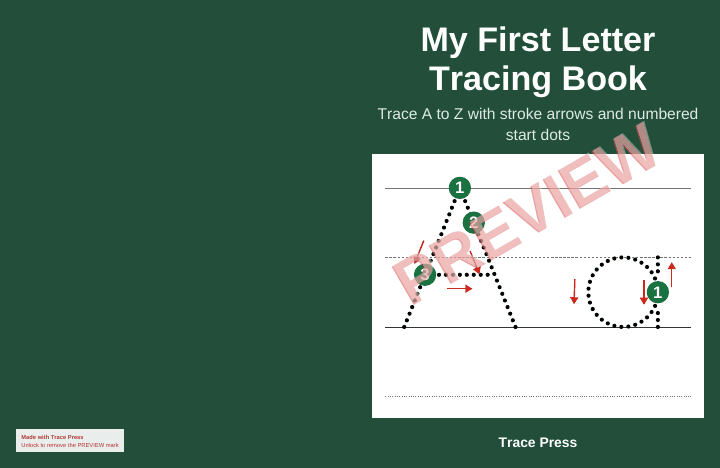
The cover is one PDF: back, spine and front side by side, with 0.125" of bleed on every outside edge. Its width depends on the page count and paper, because the spine is the thickness of the pages. From KDP's Create a Paperback Cover page, for 26 pages of white paper:
| Trim | Spine | Cover PDF, with bleed |
|---|---|---|
| 8.5" × 11" | 0.059" | 17.309" × 11.25" |
| 6" × 9" | 0.059" | 12.309" × 9.25" |
- No spine text. KDP allows text on the spine only from 80 pages. A 26-page spine is left blank.
- Keep words away from the edge. KDP asks for text at least 0.125" inside the trim. Trace Press keeps the front's words 0.375" in.
- Leave room for the barcode. KDP's own cover templates reserve a 2" × 1.2" box in the lower right of the back cover. Keep it clear.
Trace Press makes this cover from your title, subtitle and author name, sized to the book it made. If you change the trim or the paper, make the cover again. For other page counts and cream paper, see the tracing book cover size tables.
6. Set the price
A KDP paperback royalty is the list price times the royalty rate, minus printing. On Amazon.com the rate is 50% below $9.99 and 60% at $9.99 and above. For a 26-page book, black ink:
| List price | Large trim (8.5" × 11") | Regular trim (6" × 9") |
|---|---|---|
| $6.99 | $0.66 | $1.20 |
| $7.99 | $1.16 | $1.70 |
| $9.99 | $3.15 | $3.69 |
KDP won't take a list price that leaves a negative royalty: the lowest for this book is $5.68 at large trim and $4.60 at regular. Expanded Distribution (sales outside Amazon) pays 40% instead, which at $6.99 on a large trim is less than the printing cost. To try other prices and page counts, use the KDP royalty calculator and the spine width calculator on our sister site.
Making it in Canva, Word or Google Docs instead
You can lay a tracing book out in a design program with a dotted font. KDP checks the PDF, not the program, so the same rules apply. These are the ones a hand-made tracing book most easily misses:
- Page size. Set the page to the trim size exactly. With bleed on, make it 0.125" wider and 0.25" taller (8.625" × 11.25" for an 8.5" × 11" book), and choose bleed on KDP too.
- Margins. At least 0.25" on the outside, top and bottom (0.375" with bleed), and the gutter for your page count: 0.375" up to 150 pages. Left-hand and right-hand pages have the gutter on opposite sides, so a design copied page to page needs checking on both.
- Thin lines. KDP's minimum line weight is 0.75 point. The dots of a dotted font and a light dashed midline are lines too, so check how thin yours print.
- Pale grey. KDP recommends at least a 10% grey fill. Very faint guide lines can disappear in print.
- Small text. KDP's minimum type size is 7 points. That includes stroke numbers and page labels.
- Embedded fonts. Export a print PDF, then check the fonts are inside it (in Adobe Reader: File, Properties, Fonts, each one marked Embedded). If you sell the book, check the font's licence covers that too. Trace Press needs no tracing font: see tracing fonts and KDP.
- The cover changes with the page count. Add or take out pages and the spine width changes, so the cover PDF has to be made again at the new width.
Stroke order is the hard part. A dotted font gives the letter's shape. Unless the font was made with arrows, the start dots and arrows have to be placed by hand on every letter. Trace Press draws each letter as the strokes a pencil makes, so it puts them on for you. For a single sheet, the free tracing worksheet generator shows how that looks.
Make the book
Trace Press does steps 1 to 5 in your browser: pick a trim and a line size, capital and lowercase together or one case alone, page through the preview, and download the interior and a matching cover. It's free to try, with a small footer on the pages and PREVIEW on the cover. $19 once removes both, for every book you make after.
Make a tracing workbookTo see the result first: a finished 8.5" × 11" sample book and its cover, as the free version makes them.
Making it in cursive? Set Handwriting to Cursive and the whole book, words and cover too, is written joined: see how to make a cursive handwriting workbook.
Selling a blank practice notebook instead? The free handwriting paper generator makes the same four-line pages empty, 24 to 300 of them, to the same KDP margins.